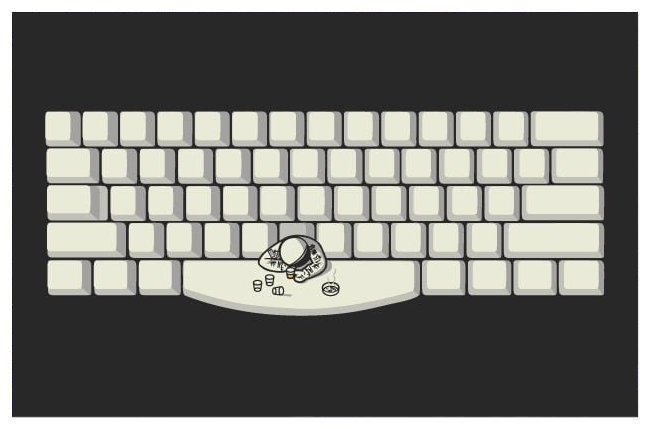
The space bar
The space bar, blank, or space key
|
|
|
The space bar, blank, or space key
Space bar is a key on a typewriter or alphanumeric keyboard in the form of a horizontal bar in the lowermost row, significantly wider than other keys. Its main purpose is to conveniently enter a space, e.g., between words during typing.
A typical space bar key is very large, enough so that a thumb from either hand can use it, and is almost always found on the bottom row of standard keyboard layouts. Over time space bars have become narrower on computers to make way for keys such as control key and alt key.
History
Originally, (on early writers dating back to the late 19th century) the "bar" was literally a metal bar running across the full width of the keyboard (or even wider, and even surrounding it) that triggered the carriage advance without also firing any of the typebars towards the platen. Later examples gradually shrank and developed into their current more ergonomic form as a wide, centrally located but otherwise apparently normal "key", as typewriter (and computer) keyboards began to incorporate additional function keys and were more deliberately "styled". Although it varies by keyboard type, the space bar usually lies between the Alt keys (or Command keys on Macintosh keyboards) and below the letter keys: C, V, B, N and M on a standard QWERTY keyboard.
Some early typewriter and particularly computer keyboards used a different method of inserting spaces, typically a smaller, less distinct "space" key which was also often set in a less central position, e.g. the Hansen Writing Ball, Hammond typewriters or the Sinclair ZX Spectrum and Jupiter Ace ranges. The earliest known example, Sholes and Glidden typewriter used a lever to provide space between words,[2] placing the invention of the inset spacebar after 1843. However these methods were also usually just one part of similarly idiosyncratic full keyboard layouts, designed more to cope with particular technical requirements or limitations than with any sense of user friendliness and as such met with limited success, sometimes being dropped even on later models in the same line (e.g. Sinclair Spectrum 128k and "Plus" lines, which adopted more "normally styled" keyboards with plastic keytops and a wide, central spacebar in place of the earlier rubber "chiclet" keys and small, offset space key).
Other uses
Depending on the operating system, the space bar used with a modifier key such as the control key may have functions such as resizing or closing the current window, half-spacing, or even backspacing. On web browsers, the space bar usually allows the user to page down or to page up when the space bar is used with the shift key.
In many programs for playback of linear media (such as videos or music), the space bar is used for pausing and resuming playback, or for manually advancing through text.
In video games where the playable character can move and jump, the default key to jump is usually the space bar. This is usually used along with the WASD keys for up, down, left and right movement.
|
|
|
|

|
|
Full Moon Vibes Music Festival
|
|
|
|
|
Hakken over de Sloot
|
|
|
|
|
Fairytale
|
|
|
|
|
|
|
|